Yocto
- Follow Yocto documentation to git clone Poky repository
https://docs.yoctoproject.org/brief-yoctoprojectqs/index.html
Attention: Make sure to clone " kirkstone " branch, as on any of the other layers
- Locate at github and git clone required layers ( kirkstone branch)
(also use files from attached zip)
meta-rockchip (https://github.com/JeffyCN)
meta-openembedded (github)
meta-qt5 (use provided files)
meta-python2 (github)
meta-clang (github)
meta-rtlwifi (use provided files)
-
Copy cgroups.cfg to meta-rockchip/recipes-kernel/linux/files
-
Execute from terminal:
cd /poky
. oe-init-build-env build-rockchip/
- copy bblayers.conf to build-rockchip/conf folder
copy local.conf to build-rockchip/conf folder
copy ddutil to meta-rockchip/recipes-devtools
copy librkcrypto to meta-rockchip/recipes-devtools
Yocto folders must be like in this image (do not clone deleted folders)

-
copy linux-rockchip_4.19.bb to meta-rockchip/recipes-kernel/linux
-
execute:
bitbake core-image-minimal
After these steps a first image is created, but we must build the right kernel and u-boot for our device
Image files located at /data/Yocto/poky/build-rockchip/latest
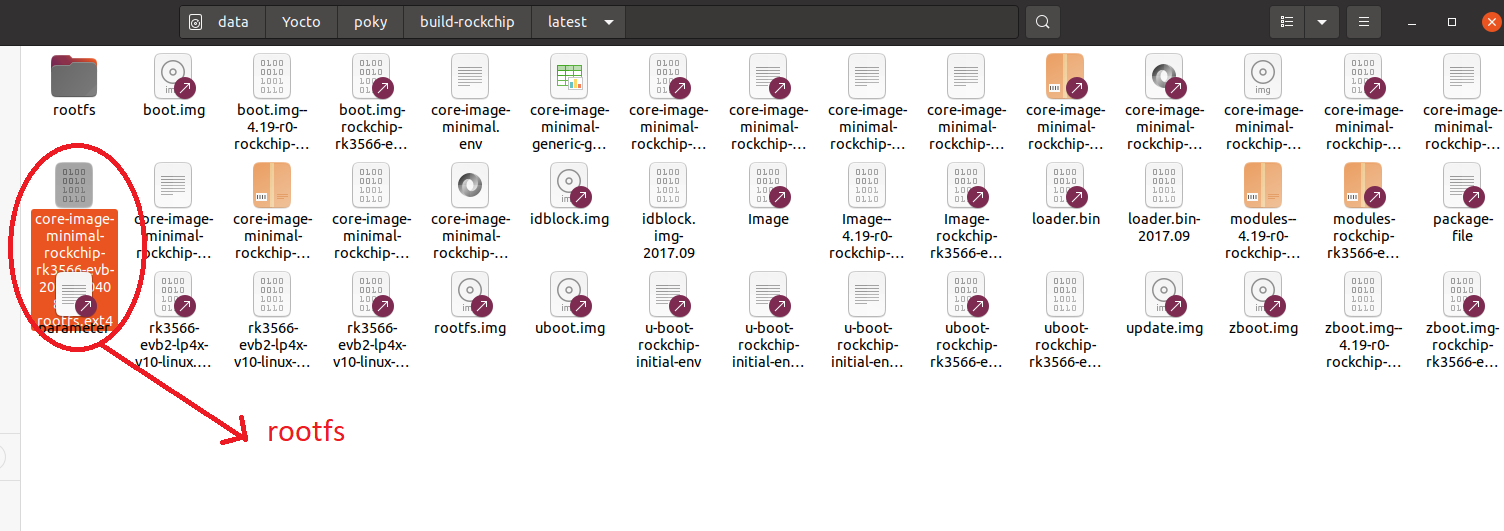
Note:
if bitbake fails with error at QT then go to "07. SDK QT5" folder
Updated by Alex Seferidis 11 months ago · 14 revisions