Actions
Vestel » History » Revision 1
Revision 1/3
| Next »
Alex Seferidis, 11/15/2024 04:06 PM
Vestel
- Create a file “starturl.txt” and add content http://192.168.1.200/fleex/vestel
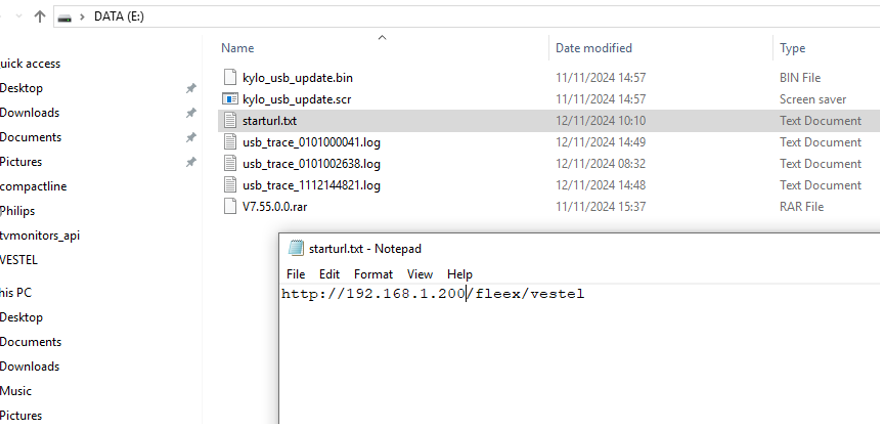
Where 192.168.1.200 is the IP address of the Headend, (Fleex Embedded must be enabled)
-
Save the file to a USB flash disk (on root directory, not inside a folder)
-
Insert the flash disk into the USB port and open the TV
-
Open the hidden Service Menu (key Down + VolumeUP + ProgramUP + VolumeDown + ProgramDown)
-
Press USB operations
-
Restart TV. It should now open the Fleex Embedded app
Useful menus:
- Hotel TV (key Up + VolumeUP + ProgramUP + VolumeDown + ProgramDown)
- Network (key Left + VolumeUP + ProgramUP + VolumeDown + ProgramDown)
- Hidden (key Right + VolumeUP + ProgramUP + VolumeDown + ProgramDown)
To debug HTML app setup the chrome inspector to port 4725
Set up TV_IP_ADDRESS:4725
Updated by Alex Seferidis over 1 year ago · 1 revisions