Channels Backend » History » Revision 1
Revision 1/6
| Next »
Constantinos Lempidakis, 01/02/2025 03:01 PM
Channels Backend
-
"Channels" widget must be included in Canva.
-
The backend of the Channels is described below:
Live Channels
- When the user will press the "Channels" button, a listing page will be displayed as the example below:
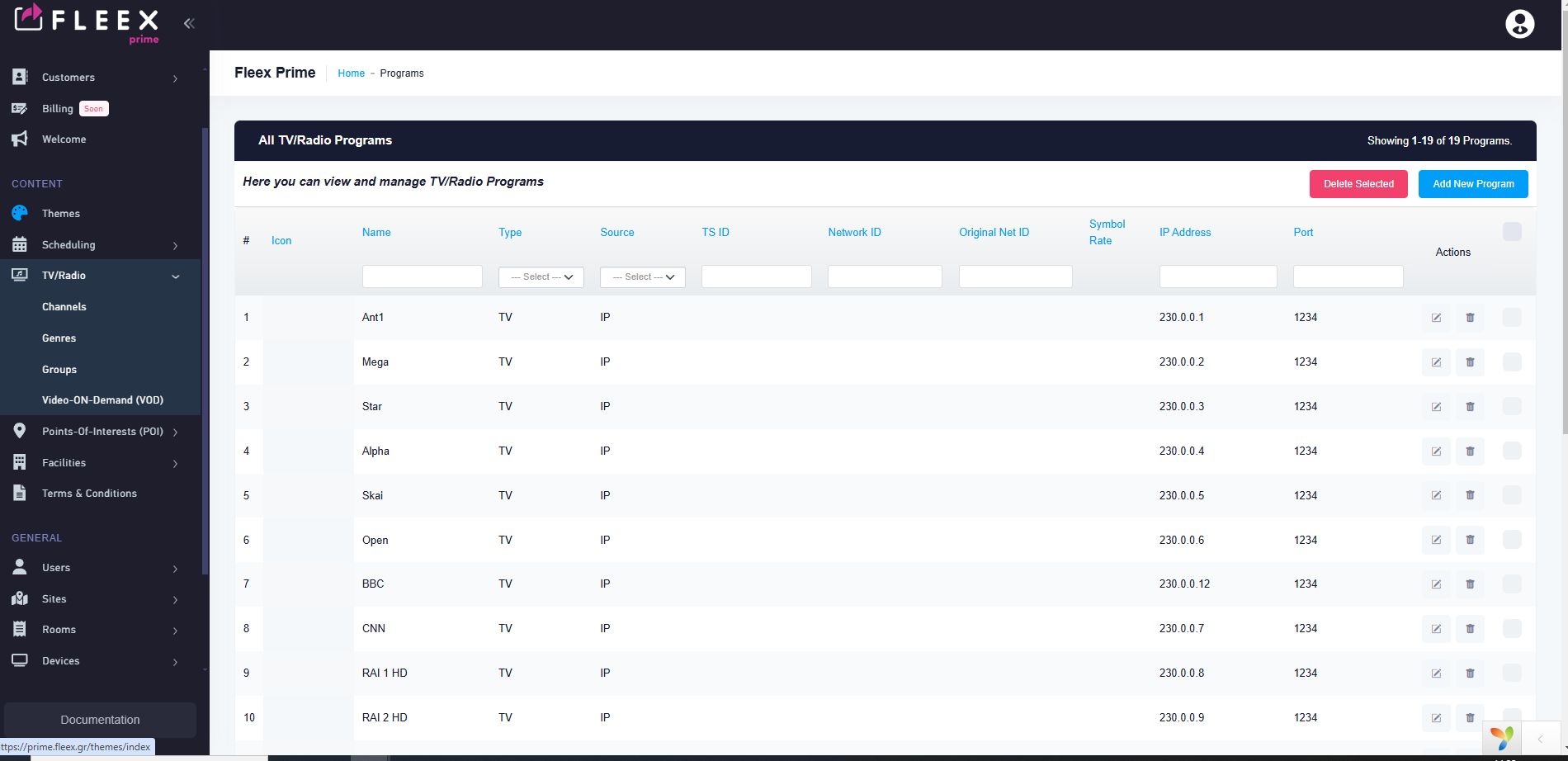
- Each Row will depict a channel content
- At the upper right corner an "Add New Channel" button will exist.
///////////////////////////////////////////////////////////////////////////////////////////////////////////////////////////////////////////////////////////////////
Add New Channel
- By clicking the "Add New Channel" button on the upper rigth corner the user will be able to add a new channel using a pop-up menu with the following options:
Main information
Language translation field (similar to other pages)
Title (Text field)
Short description (Small Text field)
Description (Small Text field)
Genre (Selection field)
Country (Selection field)
Logo (Selection field, it will provide upload custom logo or select from the logo database)
Type (TV or Radio)
Order No (Numeric field)
Misc
Headend IP/Port (Text field)
Original Service ID (Text Type)
Source (Check the available options below)
For IP:
IP address
Port
Protocol (Drop down field, options: UDP,RTP,HLS,MPEG-DASH,RTSP,RTMP,SRT,HTTP)
For DVB-T/T2:
Frequency
Service ID
For DVB-C:
Frequency
Service ID
Updated by Constantinos Lempidakis over 1 year ago · 1 revisions