Actions
VOD Backend » History » Revision 3
« Previous |
Revision 3/26
(diff)
| Next »
Constantinos Lempidakis, 01/02/2025 11:41 AM
VOD Backend
-
"VOD page option" must be included in Canva for "Button" widget.
-
The backend of the VOD is described below:
The menu of the VOD consists of the following sub-menus:
- All content
- Groups
All content
- When the user will press the "All content" button, a listing page will be displayed as the example below:
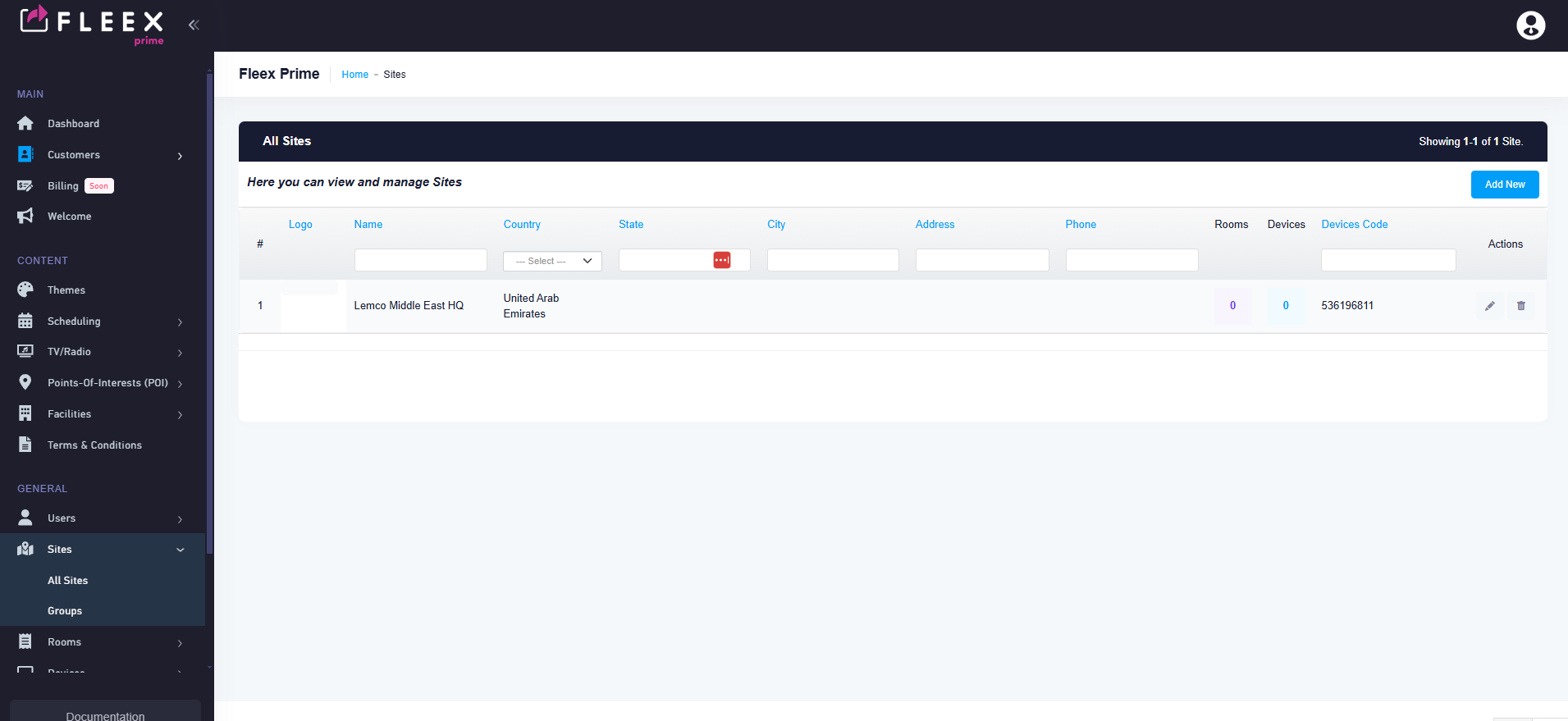
- Each Row will depict a VOD content eg. a movie.
- By clicking the "Add new" button on the upper rigth corner the user will be able to add a new VOD content.
Groups
- VOD Groups page will be a standard "group" page as follow:

- The user will be able to create as many groups as he wants.
- Each group will consists of the following fields:
1.User
2.Name
3.Description
4.Site
Updated by Constantinos Lempidakis over 1 year ago · 3 revisions