Actions
VOD Backend » History » Revision 21
« Previous |
Revision 21/26
(diff)
| Next »
Constantinos Lempidakis, 01/02/2025 01:45 PM
VOD Backend
-
"VOD page option" must be included in Canva for "Button" widget.
-
The backend of the VOD is described below:
Video-ON-Demand (VOD)
- When the user will press the "Video-ON-Demand (VOD)" button, a listing page will be displayed as the example below:
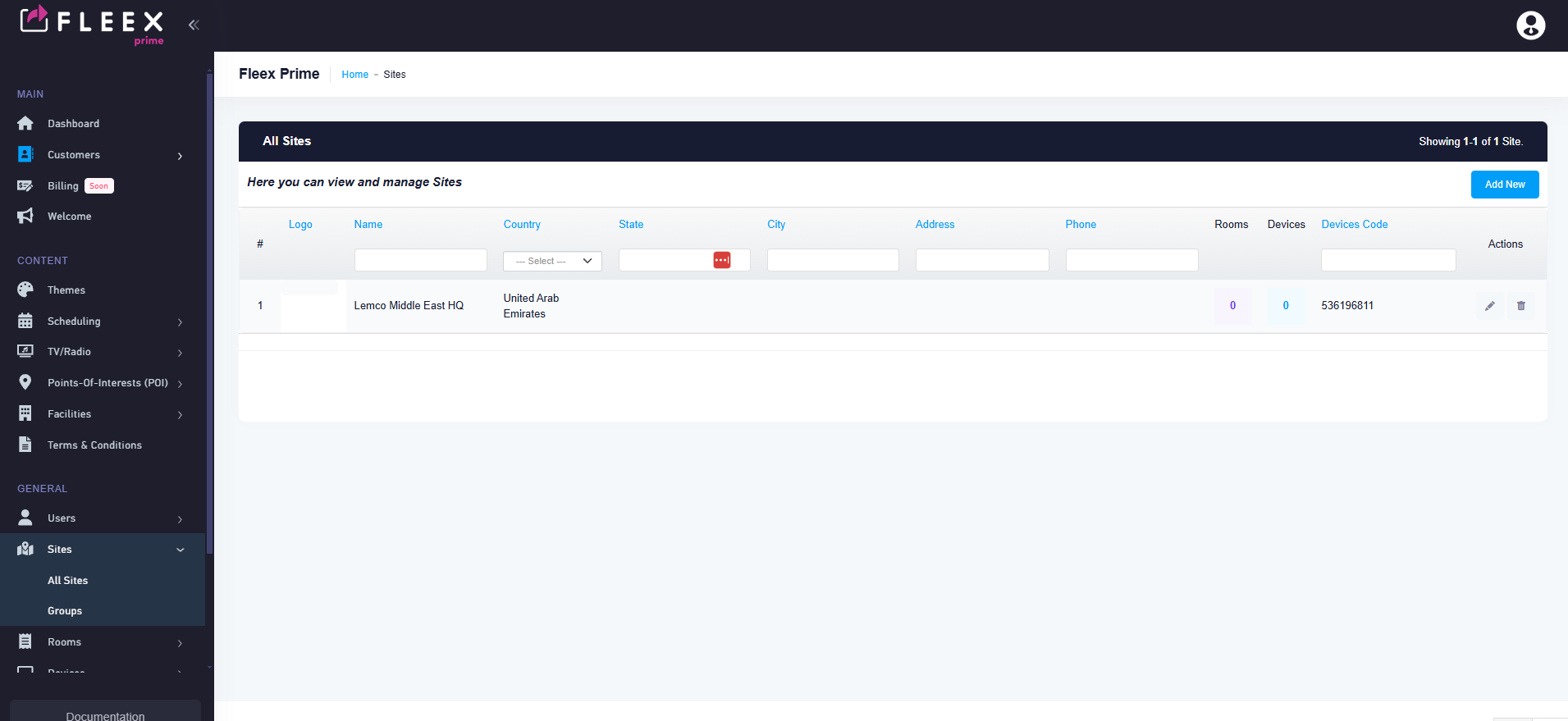
- Each Row will depict a VOD content eg. a movie or a series.
- At the upper right corner two buttons will exist as follow:
** Add New Content **
** Add New Series **
Add New Content
- By clicking the "Add New Content" button on the upper rigth corner the user will be able to add a new VOD content using a pop-up menu with the following options:
- Language selection field (similar to other pages)
- Title (Text field)
- Short description (Small Text field)
- Description (Small Text field)
- Genre (Selection field)
- Cast (Text field)
- Source (Text field)
- Photo cover (Browse button to Media Library)
- Video Trailer (Browse button to Media Library)
- Price (Numeric field, Ignore if it belongs to a Series )
11.Site (Drop down menu, listing all the available sites) - Rating (Drop Down menu with the following options:TV-Y, TV-Y7, TV-G,TV-PG,TV-14,TV-MA) Based on wordwide rating: https://en.wikipedia.org/wiki/TV_Parental_Guidelines#External_links
13.Content descriptor (Mutliple select field: using the options below:
| Descriptor | Explanation |
|---|---|
| D | Sexual or suggestive dialogue |
| L | Coarse or crude language |
| S | Sexual situations |
| V | Violence |
Add New Series
- By clicking the "Add New Series" button on the upper rigth corner the user will be able to add a new VOD content using a pop-up menu with the following options:
- Language selection field (similar to other pages)
- Title (Text field)
- Short description (Small Text field)
- Description (Small Text field)
- Genre (Selection field)
- Cast (Text field)
- Content (Select field, available options all the TV content created using the above "Add New Content" procedure)
- Photo cover (Browse button to Media Library)
- Video Trailer (Browse button to Media Library)
- Price (Numeric field)
10.Site (Drop down menu, listing all the available sites)
General Guidelines
- All the above fields must be available as columns in all listing pages
- All the above fields must have several filtering options in all listing pages
Updated by Constantinos Lempidakis over 1 year ago · 21 revisions